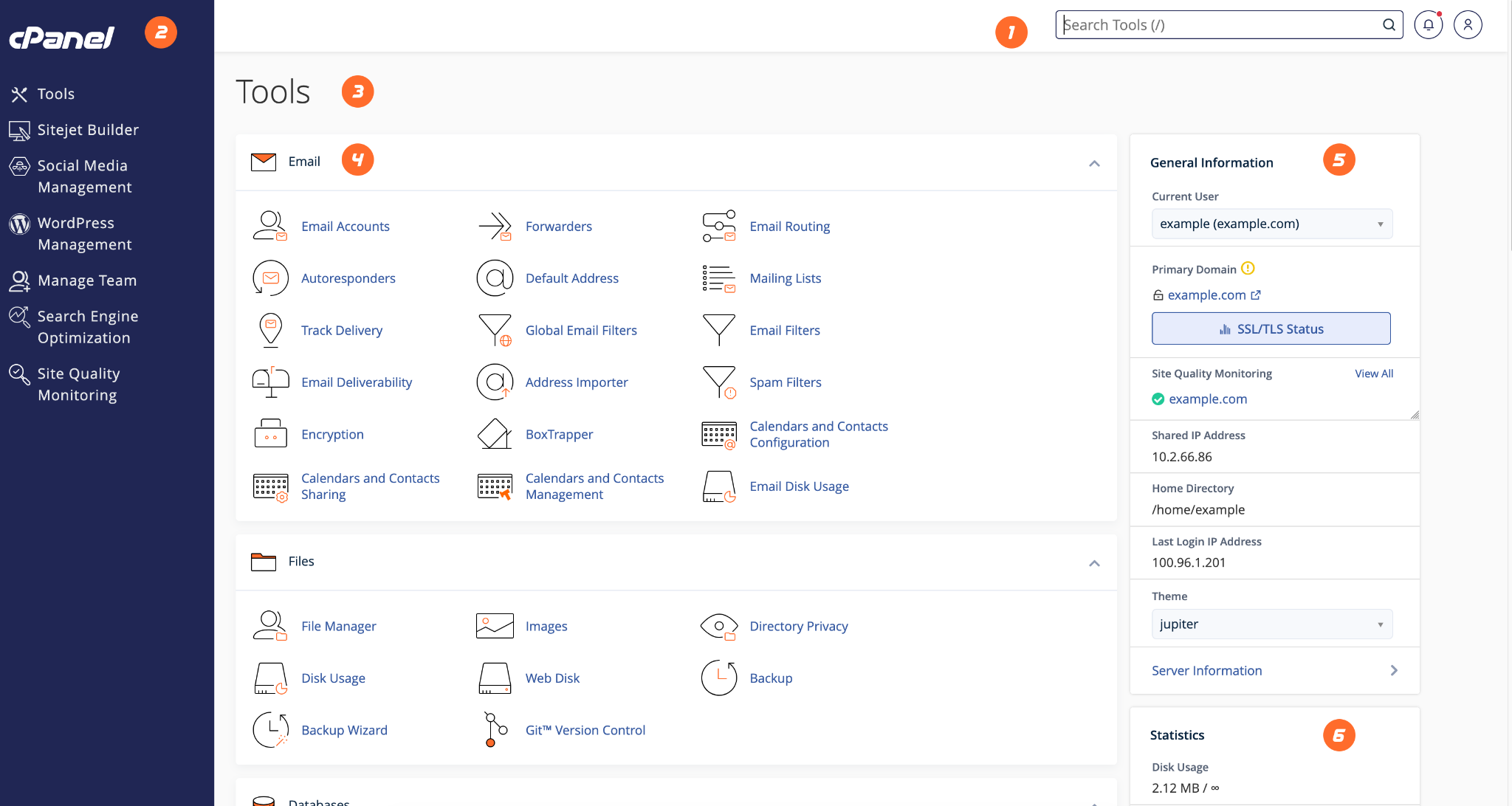
The cPanel dashboard gives you access to email, files, databases, backups, domains, security, and statistics.
- Use the left navigation to browse tool groups.
- Use the search bar at the top to find a feature quickly.
- Check General Information for domain and server details.
- Check Statistics to monitor usage such as disk space and bandwidth.
- Open the relevant section depending on the task you need to perform.
HostKeel Tip: If you cannot see a feature, contact HostKeel support because some tools depend on the package type.